Representational State Transfer (REST) Architecture
Table of Contents
- Introduction to REST
- REST and HTTP Communication
- REST Architectural Constraints
- API Request Structure
- API Response Structure
- Conclusion
- Further Reading
- References
1. Introduction to REST
REST stands for Representational State Transfer. It is an architectural style for distributed hypermedia systems. Roy Fielding first introduced it in 2000 in his dissertation. Since then, it has become one of the most widely used approaches for building web-based APIs, also known as Application Programming Interfaces.
REST is not a protocol or a standard. It is an architectural style, which means developers can implement it in different ways during the development phase.
Like other architectural styles, REST has a set of guiding principles and constraints. These must be satisfied for a service to be considered RESTful.
A web API that follows the REST architectural style is called a REST API, or a RESTful API.
REST APIs rely heavily on HTTP, the Hypertext Transfer Protocol, as the foundation for communication between clients, such as web browsers or mobile apps, and servers where the API is hosted.
2. REST and HTTP Communication
HTTP defines how messages are structured and sent between a client and a server. It is the core protocol used when interacting with a REST API.
HTTPS is simply HTTP with an added layer of security using TLS encryption. While the structure of communication remains the same, HTTPS ensures that the data exchanged is encrypted. This means that no one can read or modify the data while it is being transmitted.
In practice, HTTPS is the secure transport protocol used to send API requests and responses.
3. REST Architectural Constraints
According to IBM, REST is based on six design principles, also known as architectural constraints.
3.1 Uniform Interface
All API requests for the same resource should follow a consistent structure, regardless of where the request originates. Each resource should be identified by a unique URI. Resources should not be too large, but they should contain all the information the client may need.
3.2 Client Server Decoupling
The client and server must remain independent of each other. The client only needs to know the URI of the resource it wants. It should not depend on the internal implementation of the server. Similarly, the server should not depend on the client’s structure beyond responding to its requests.
3.3 Statelessness
REST APIs are stateless. Each request must contain all the information needed for the server to process it. The server does not store any client context between requests.
3.4 Cacheability
Responses should indicate whether they can be cached. Caching improves performance on the client side and enhances scalability on the server side by reducing repeated processing.
3.5 Layered System Architecture
A REST API can include multiple layers between the client and the server. These layers can include proxies, gateways, or load balancers. Neither the client nor the server should assume a direct connection between them.
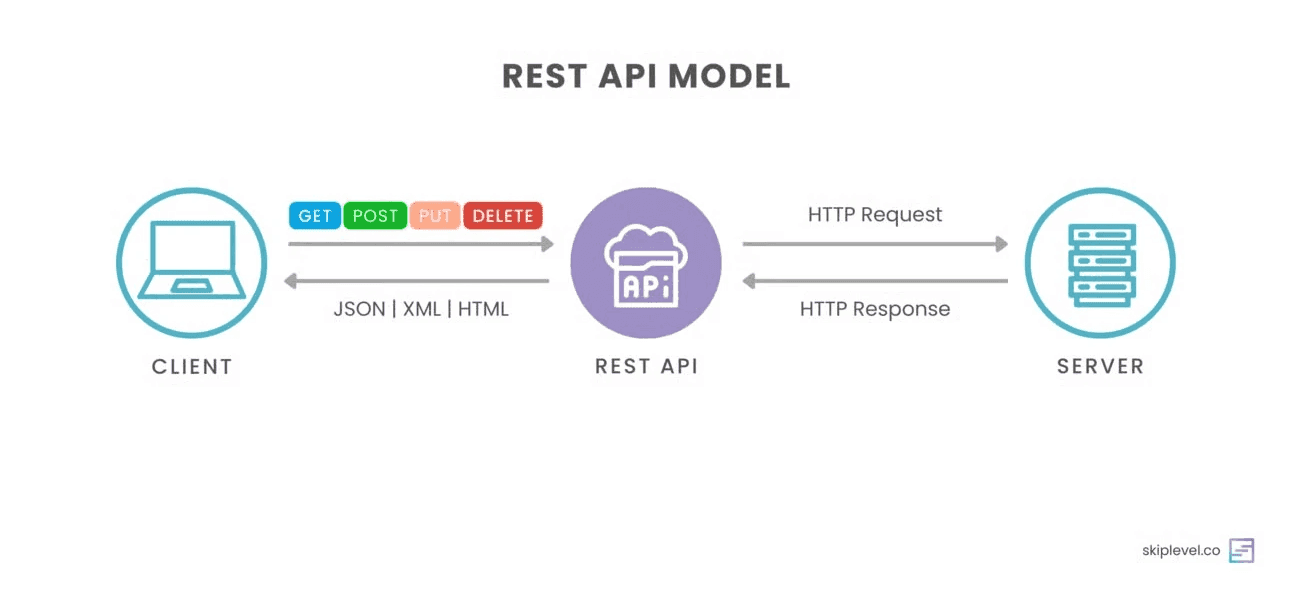
4. API Request Structure
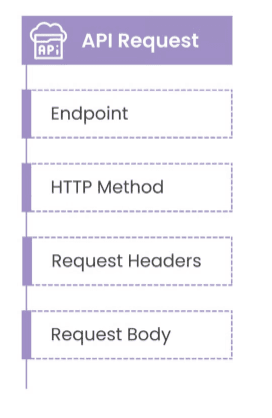
An API request is sent from a client to a server. It consists of four main components.
4.1 Method
The method defines the action the client wants to perform:
- GET retrieves data
- POST creates a new resource
- PUT or PATCH updates an existing resource
- DELETE removes a resource
4.2 URL or Endpoint
The URL specifies where the request is sent.
Example:
https://api.example.com/users/123
This can be broken down into three parts. The protocol, such as HTTPS, defines how the request is sent. The server, api.example.com, identifies the host. The resource path, /users/123, specifies the exact resource.
4.3 Headers
Headers provide metadata about the request and tell the server how to interpret it.
Example:
Content-Type: application/json
Authorization: Bearer eyJhbGciOiJIUzI1NiIs...
Content-Type specifies the format of the data being sent. Authorization contains credentials, such as a token, used for authentication. Accept defines the format the client expects in the response.
4.4 Body
The body contains the actual data sent to the server. It is typically used with POST, PUT, or PATCH requests.
Example:
{
  "name":"Alain",
  "email":"alain@example.com"
}
5. API Response Structure
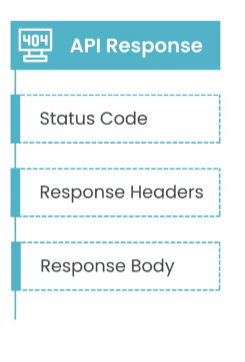
After sending a request, the client receives a response from the server. This response contains both the requested data and additional metadata.
5.1 Status Code
The status code is a three-digit number that indicates the result of the request.
Success responses include:
- 200 OK, the request was successful
- 201 Created, a resource was successfully created
- 204 No Content, the request succeeded but no data is returned
Client error responses include:
- 400 Bad Request, the request is invalid
- 401 Unauthorized, authentication is required
- 403 Forbidden, access is denied
- 404 Not Found, the resource does not exist
Server error responses include:
- 500 Internal Server Error, the server encountered an issue
- 503 Service Unavailable, the server is temporarily unavailable
5.2 Response Headers
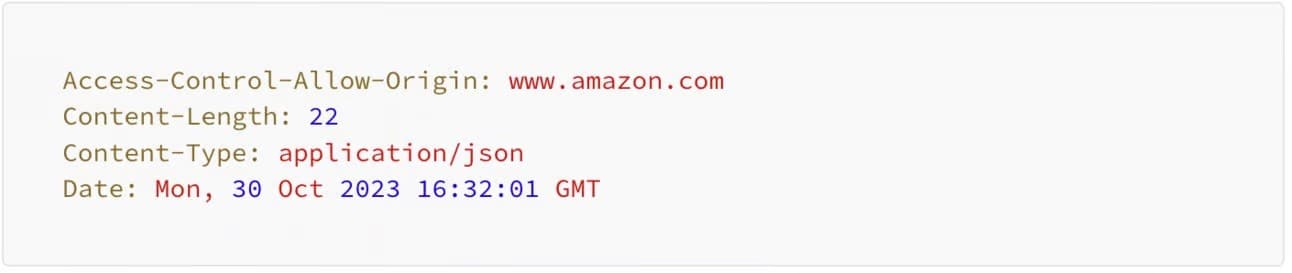
Response headers provide additional details about the server’s response. This includes the data format, server information, and caching rules.
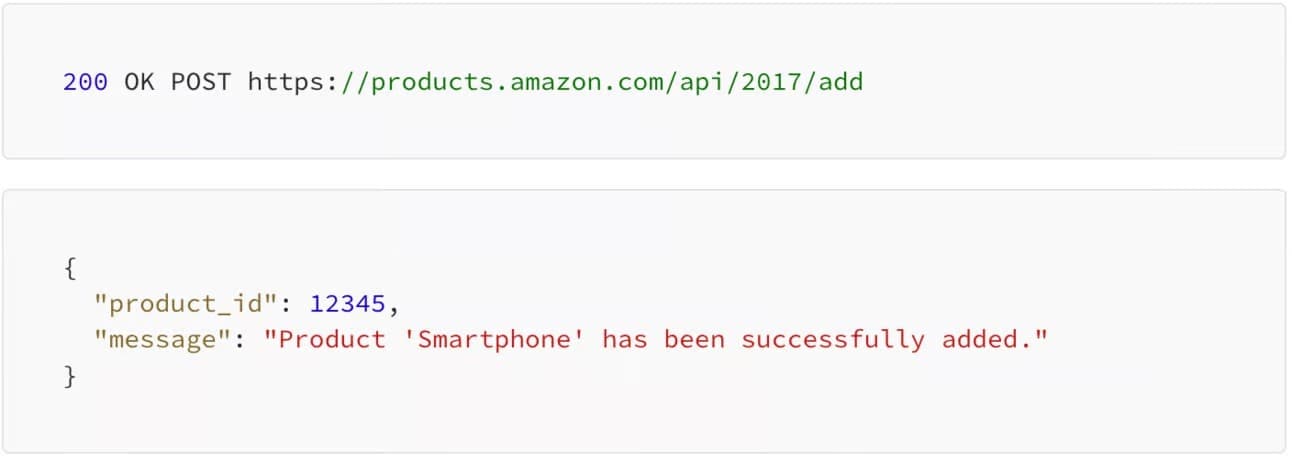
Here’s an example also using Amazon:
5.3 Response Body
The response body contains the actual data returned by the server. It is usually formatted in JSON for readability and easy parsing.
Using the same Amazon API example as the one in the request body, here’s what a successful response where the product was successfully added to the database might look like. Notice the API response returned a newly created product_id uniquely assigned to the added product.
6. Conclusion
In this article, we explored the fundamentals of REST APIs, including their definition, underlying principles, and how they use HTTP for communication. We also examined the structure of API requests and responses, which are essential for understanding how clients and servers interact.
With this knowledge, you are now equipped to confidently work with APIs, debug issues, and design RESTful services.
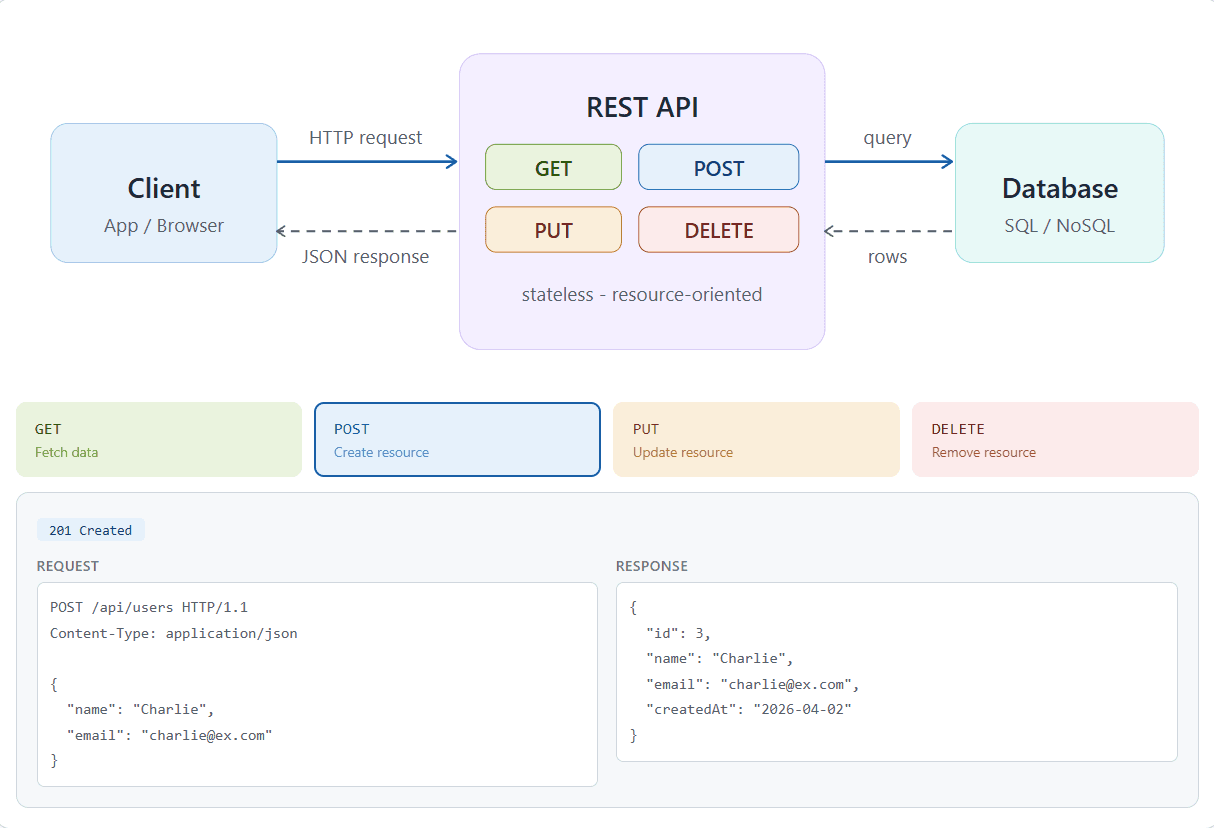
Here is an interactive website where you coud have visually summary of all we spke about .
click here : https://nkwili.github.io/rest_api_html_diagram/
Further Reading
What is an Application Programmable Interface (API ):
https://www.alainngongang.dev/posts/application-programming-interface
Use Case The Rest Architecture :
References
- Roy Fielding, Architectural Styles and the Design of Network-based Software Architectures, 2000
- University of California Irvine dissertation: https://www.ics.uci.edu/~fielding/pubs/dissertation/rest_arch_style.htm
- RESTfulAPI.net, What is REST API?
- Skiplevel, REST API Components: How to Read Them
- IBM, REST API Architectural Constraints
Thanks for Reading
Alain Ngongang